
Art-Net Controller for LED: Verify in 6 Checks
MADRIX compatible on a datasheet proves little. Six checks — protocol version, port addressing, universe budget, SPI chip set, refresh, failover — settle it.
A controller sold as "MADRIX compatible" is not necessarily a controller that will run your show. MADRIX and MadMapper are output engines: they turn a pixel map into DMX universes and push them onto Ethernet. Whether those universes leave the far end of the cable as light is decided by the box on the other end — its Art-Net version, how it numbers universes, how many it can accept at once, which SPI chips it can clock out, and how much of that it can refresh simultaneously. A compatibility logo says none of that.
This is the checklist we would want if we were buying an art-net controller for LED pixel work: six checks — five of them readable off a datasheet, one that needs a measured number out of the supplier — plus a 45-minute bench test and ten questions that get a straight answer before the invoice is paid. It is written from the manufacturer's side of that transaction — we build the controllers — which is also why it says plainly where the numbers usually stop adding up.
If the fixture side of the rig is still open, the stage and touring pixel LED guide covers the specs that decide a rig before control is chosen at all.
What "MADRIX compatible" actually means
MADRIX 5 outputs Art-Net (versions I, II, 3 and 4), streaming ACN (sACN/E1.31), KiNET, Color Kinetics and DMX512, according to its own product specification. MadMapper sends to USB DMX interfaces and, over the network, to devices that support Art-Net or sACN — you pick the network interface, pick the protocol and set the output frame rate in its output settings, per the MadMapper documentation.
Read those two sentences together and the compatibility claim collapses to something much smaller: "compatible" means the controller implements one of those protocols. Both programs are software. Neither of them knows what is on the other end of the Ethernet cable, and neither will warn you that the thing answering is wrong.
The actual work happens at four layers, and each one fails in a different way:
Layer | Who decides | What the failure looks like on site |
|---|---|---|
Software output | MADRIX / MadMapper | The preview animates, the wall stays dark |
Network | IP range, netmask, unicast or broadcast | Node appears in the device list, receives nothing |
Controller | Art-Net version, port addressing, universe budget | Some universes light, others silent or shifted |
Fixture (SPI) | Driver IC, channel mode, clocked or clockless | Wrong colours, rolling channel offset, flicker, dead first pixel |
A buyer who tests only one layer — usually the software preview — has verified maybe a quarter of what can go wrong. If the layer question itself is still open (whether this rig wants Art-Net at all), the DMX512 vs Art-Net comparison settles that before you spend anything.
Check 1: which Art-Net version the firmware speaks
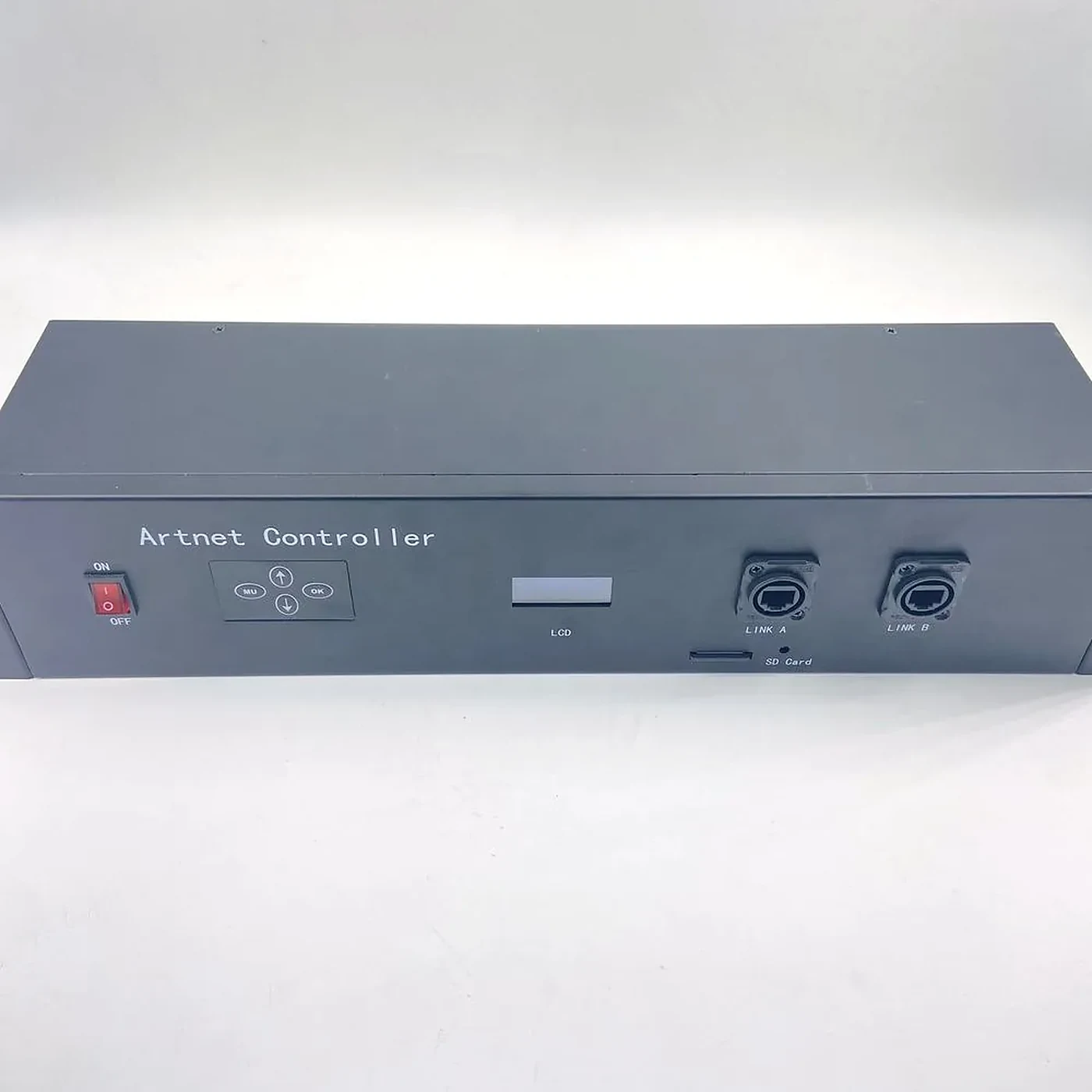
Universe addressing in Art-Net is a packed field, not a counter. A Port-Address spends 15 bits, and the Net, Sub-Net and Universe fields nest inside it — 7 bits, then 4, then 4 — so the ranges multiply out to 32,768 universes, the capacity the official Art-Net site states in as many words, on a specification Artistic Licence publishes royalty-free and licenses through an OEM code that any implementing product requires. The Net field is the newest of the three, an Art-Net 3 addition; firmware from the Art-Net I and II era can only see the two smaller fields, so it reaches 256 universes and never reads the Net field at all — which ENTTEC's Art-Net networking reference documents as the reason some older gear misbehaves on a large address plan.
Two consequences, both of which cost money:
A firmware that predates Art-Net 3 caps you at 256 universes no matter what the port count says, and it will silently drop anything addressed outside the range it can see.
Unicast arrived with Art-Net II; version 4 only tells controllers to prefer it. Discovery is broadcast, and always has been: the box holding the data puts an ArtPoll on the wire, and the nodes that hear it reply with an ArtPollReply carrying their own IP and the universes they can serve. Joining that discovery to unicast delivery was Art-Net II's work — from that version on, a universe goes to the node that claimed it rather than to everyone on the switch. What version 4 contributes is a directive: the specification tells controllers to unicast wherever they can, and most current software defaults to it. A unit built to do nothing but wait for broadcast ArtDmx behaves perfectly on a two-node rig and starts shedding universes the moment the lighting network shares a switch with anything else. ENTTEC's Art-Net networking reference — the same page cited at the top of this check — walks that poll-then-unicast sequence in detail, and it is worth reading before you accept a supplier's "fully Art-Net 4 compliant" line.
Ask the supplier four things and ask for answers in writing:
- Which Art-Net version does the current firmware implement — I, II, 3 or 4?
- Does it answer ArtPoll with an ArtPollReply, or does it sit there waiting for broadcast ArtDmx?
- Does it accept unicast ArtDmx addressed to its own IP?
- Is the firmware field-upgradable, and through what — SD card, USB, web UI?
That last one is not housekeeping. A controller whose firmware cannot be updated is pinned to whatever the protocol looked like on the day it shipped, and the specification itself has been through four published versions.
Check 2: the port-address arithmetic that puts fixtures one universe off
The most expensive hour on any pixel install is the one spent proving that the software and the controller agree about what "universe 1" means.
There are two ways to get it wrong, and they produce different symptoms. The first is the Net-field problem above: software writes a 15-bit address, the node only sees two fields, and everything shifts in multiples of 256. The second is numbering convention — a patch sheet written 1-based against a node that labels its ports 0-based shifts the whole rig by exactly one universe, which is why a fixture that should be red comes up dark while its neighbour plays the wrong cue.
Neither is a hardware fault, and neither is detectable from the vendor's compatibility claim. Write the mapping down before you buy, one row per output port:
Port | Net.Sub.Uni | Pixel range | Fixture |
|---|---|---|---|
1 | 0.0.0 | 1–170 | RGB bar 1 |
2 | 0.0.1 | 171–340 | RGB bar 2 |
3 | 0.0.2 | 341–510 | RGB bar 3 |
4 | 0.0.3 | 511–680 | RGB bar 4 |
Two things about that table are worth saying out loud, because they trip people up later. It assumes one universe per output port — 170 pixels in 3-channel RGB — and it mixes numbering conventions on purpose: ports count from 1 because that is how the rack is silkscreened, universes from 0 because that is what the software actually sends. A port rated at 512 pixels does not fit this table at all; it takes three consecutive universes, which is the arithmetic in Check 3.
Then check the network underneath it, because a mapping that is right on paper still dies here. The host and the nodes have to sit on one subnet with matching masks, discovery rides on broadcast and so stops at the first router rather than crossing it, and a managed switch with storm control or rate limiting quietly discards exactly the poll traffic the whole mechanism needs. Mismatched masks are the version that eats the most time, and it is easier to see with a worked example of our own: a laptop at 192.168.1.10/24 aims its directed broadcast at 192.168.1.255, while the receiver is configured /25 and therefore listens only on 192.168.1.127. The packets leave the laptop, nothing lands, and every LED on the controller still reports healthy. ENTTEC's networking notes describe the same trap, the 2.x.x.x default range the specification reserves for isolated lighting networks, and the one-cable bisect — receiver straight into the laptop, then hardware added back one piece at a time — that finds the guilty switch.
Check 3: the universe budget, and the pixels-per-universe ceiling
One universe is 512 channels. That number, divided by the channels your pixel type uses, is the only honest limit on how many pixels a controller can address per universe:
Channel mode | Channels per pixel | Pixels per universe |
|---|---|---|
3-channel (RGB) | 3 | 170 |
4-channel (RGBW) | 4 | 128 |
6-channel (RGBW + white / dual white) | 6 | 85 |
8-channel | 8 | 64 |
Now do the arithmetic the datasheet avoids. A port rated at "512 pixels over DMX" is carrying 512 × 3 = 1,536 channels, which is three universes of Art-Net input. Sixteen such ports is 48 universes arriving at one box. On the SPI side the same exercise on a 16 × 1,024-pixel rating comes out at 96 universes.
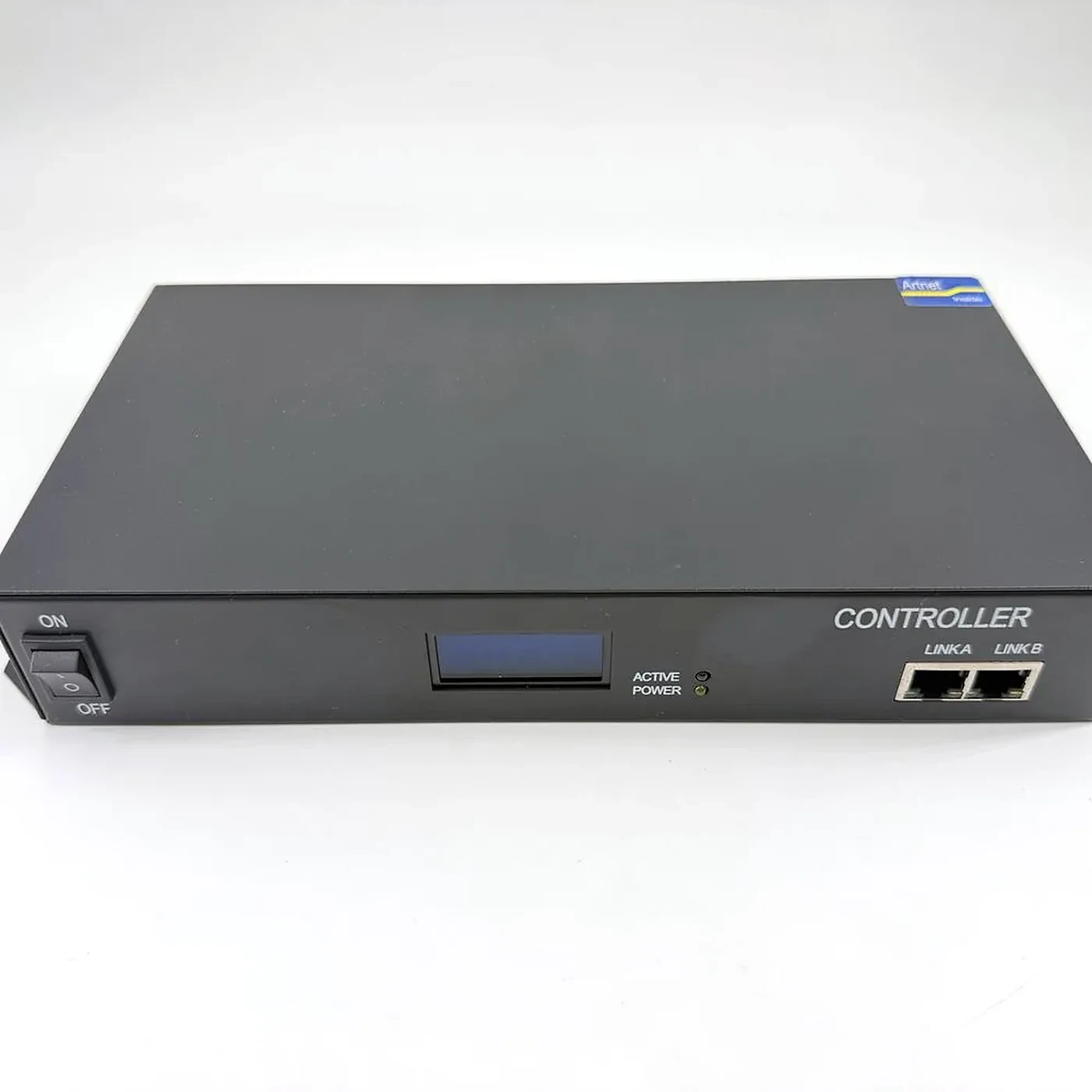
The 16-port Art-Net DMX/SPI controller Pileds builds publishes both pixel ratings on its spec sheet, 16 × 512 pixels over DMX and 16 × 1,024 over SPI, with selectable 3/4/6/8-channel modes, because the port rating and the input budget are different numbers and the smaller one wins. What it does not print is a universe count: you reach 48 by doing the arithmetic above, which is precisely why that arithmetic is the check. Make any supplier state both — and work the second number out yourself rather than taking their word for it.
There is a third ceiling above the controller, and buyers forget it more often than the first two: the software licence. The MADRIX KEY is a USB dongle that unlocks features and output, and a higher licence tier buys more universes. Your real budget is the smallest of three numbers:
real universe budget = min(software licence universes, controller input universes, total pixels × channels per pixel ÷ 512)
Buying a 48-universe box to run a licence that outputs eight is money on the floor. So is buying a 48-universe box whose Art-Net input only accepts twelve.
One more word on the vocabulary, because it changes the shape of the rig. A decoder is not a smaller controller: a DMX-to-SPI decoder takes one universe in on one input and drives one run of strip, while a controller takes many universes in and fans them across ports. If the quote says decoder, ask how many universes it accepts — the answer is usually one, and a rig that needed 48 universes has just changed shape.
Check 4: the SPI chip set, which is what actually makes it an LED controller
Art-Net ends at the DMX universe. Everything past that — the part where a universe becomes a strip of pixels — is SPI, and the decoder or controller at the far end has to speak the exact dialect of the chip you bought. This is where most "it arrived and the strip does not work" tickets come from, and no compatibility logo covers it.
The list to check, in the order it usually bites:
Three-channel clockless — WS2811, WS2812B, WS2815 at 12 V, UCS1903. The mainstream case; almost everything supports it.
Four-channel — SK6812 in RGBW. Same family, one extra channel per pixel, which drops you from 170 to 128 pixels per universe and forces a channel-mode change on the controller. Set the box to 4-channel and leave it there for the whole run.
Clocked two-wire — APA102 and SK9822. These need a clock line as well as data. Plenty of Art-Net-to-SPI boxes are clockless-only and will not drive them at all, which is precisely the kind of fact a "supports SPI" bullet does not contain.
Channel mode versus physical channel order — if the controller is left in 3-channel mode while the strip is RGBW, everything downstream shifts by one channel and colours roll along the run in a repeating pattern. The fix is a setting; the diagnosis is the expensive part. The driver IC guide covers how the chips differ in addressing and channel behaviour.
What to ask: the IC list in writing, the highest pixel count per port for each IC, and whether the unit will drive a clocked strip. Then send one metre of the actual strip from the job. Nobody should be discovering the IC mismatch on the first night of load-in.
Check 5: refresh — port count is not frame rate
This is the check almost nobody runs, and it is the one that decides whether a 16-port box is genuinely a 16-port box.
A 3-channel WS2812B or SK6812 pixel is shifted at 800 kHz, 24 bits per pixel — 30 microseconds each. A 512-pixel port therefore needs about 15.4 ms to shift one frame, a ceiling of roughly 65 frames per second for that port alone. The SK6812 RGBW variant carries 32 bits per pixel, so the same 512-pixel port needs 20.5 ms and tops out near 48 fps. Now put sixteen of those ports on one output engine and let it drive them in sequence: 16 × 15.4 ms is about 246 ms, or roughly four frames per second for the whole rig — about three if the strip is RGBW. The alternative is that each port has its own output engine and they run in parallel.
Both designs exist. Both are sold as "16 × 512 pixels". One of them is unusable for touring. So the question is not the pixel count, it is:
What is the measured per-port frame rate at full pixel load, with all ports running at once?
Put that against the send side. Art-Net carries something in the region of 40 to 44 packets per second per universe at the top end, which is where the practical ceiling of DMX512 itself sits, and MadMapper lets you set the output frame rate explicitly. If the software is configured for 40 fps and the controller can shift four, the rig does not error — it judders, drops frames, and looks like a programming problem for the whole show.
Check 6: what happens when the laptop dies
A MADRIX rig is a computer with a dongle. A MadMapper rig is a computer, or a MiniMad if you bought the hardware player. In either case, when the machine stops, a controller that only listens to Art-Net goes dark in the same frame — and a reddit thread near the top of this search is exactly that story: a controller app the vendor stopped supporting, and a rig with no path forward.
Three things to ask, in order of how much they cost to add later:
Does it hold last look on signal loss? A controller that freezes on the last frame when the stream stops is very different from one that blanks.
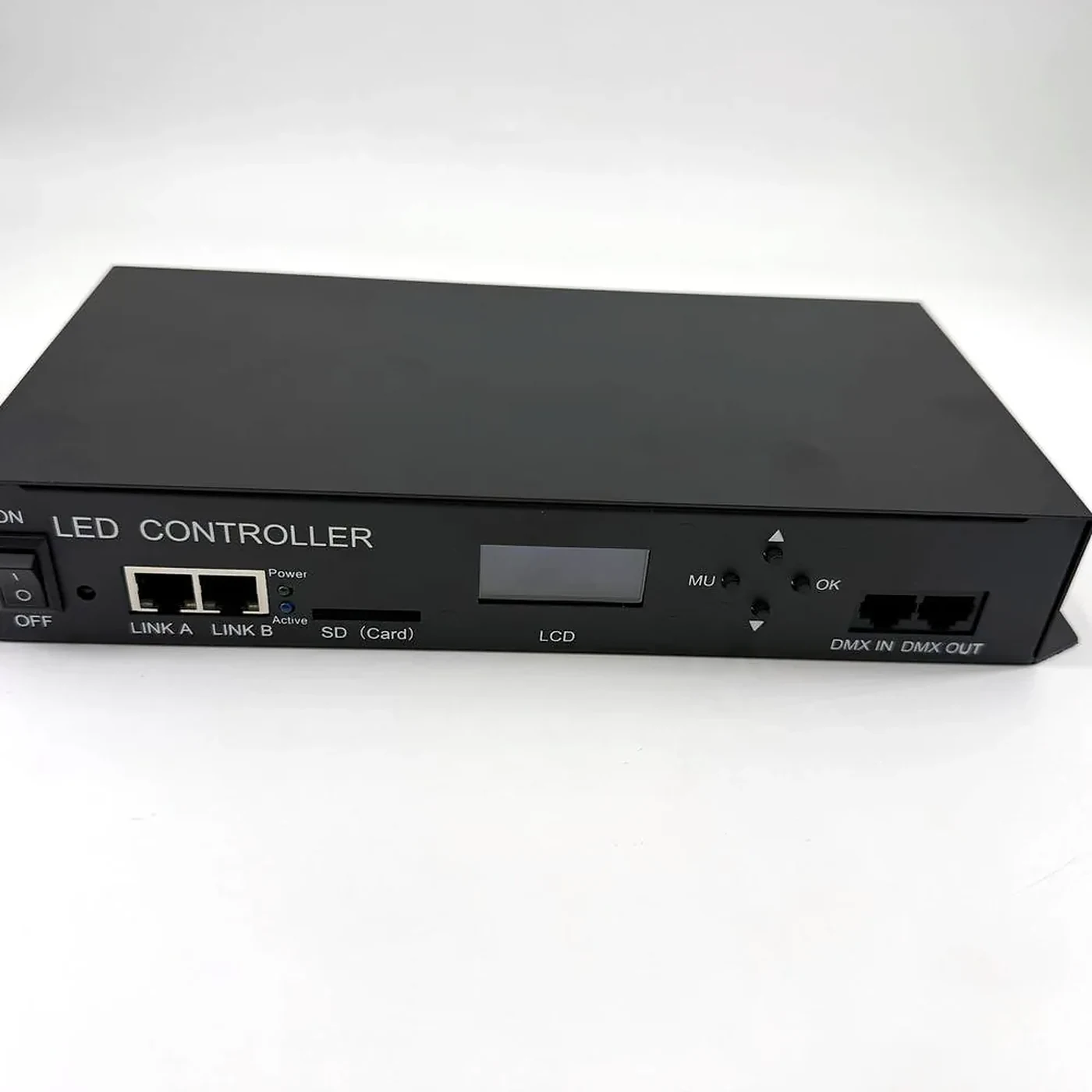
Can it play from an SD card? Offline playback on the controller is the cheapest redundancy in this category — the 8-port SD card controller (the PI-808SD) exists for precisely this reason, and so does its 12-port sibling, the PI-1212A, with the same slot.
Does it accept a second source, or Art-Net timecode? Some consoles and some controllers can take timecode over Art-Net, which lets a show follow a clock rather than a person pressing go.
The 45-minute bench test
None of the six checks above needs a site. All of them can be run on a desk, before the invoice is paid, with the strip you actually intend to use.
- Patch one universe. Set the software to output a single universe, patch pixel 1 to full red, and confirm you know which physical pixel that is.
- Walk the address space. Patch pixel 170 and pixel 171 in a 3-channel rig. If 171 does not move to the next universe cleanly, stop — that is the port-address problem in Check 2.
- Fill a port. Drive all 512 pixels on one port with a moving pattern and watch for stutter at the far end. Take note of the frame rate the software is sending.
- Fill every port. Repeat at full load on all ports simultaneously. This is where Check 5 either passes or quietly fails, and it is a two-minute test that nobody runs.
- Change the channel mode. Switch to 4-channel and drive an RGBW strip. Confirm the colour does not shift.
- Pull the network cable. Watch what the wall does. Freeze, blank, or fall back to SD — you want to know which, and you want to know it now, not at 20:00 on opening night.
- Look at the boring things. Does the web UI or menu hold its settings after a power cycle? Does the unit get hot at full load? Is the firmware version written anywhere you can read it?
Between them the seven steps cover all six checks — step 7 is where Check 1 actually gets answered, and where most returns come from as well. Once the rig is built, the pre-show rehearsal checklist covers the checks that have to be repeated on site rather than on a bench.
Ten questions to send the supplier
Copy this into an email. A supplier who answers all ten in writing is a supplier worth quoting against; one who answers three and attaches a catalogue has told you something too.
- Which Art-Net version does the firmware implement, and does it answer ArtPoll with an ArtPollReply?
- How many universes of Art-Net input does the unit accept simultaneously?
- What is the pixel rating per port for each channel mode (3 / 4 / 6 / 8)?
- Which driver ICs are supported, and which of them are clocked?
- What is the measured per-port frame rate at full pixel load with all ports active?
- Does the unit hold last look on loss of Art-Net, and can that be configured?
- Is there SD card or other offline playback, and what format does it take?
- How is the firmware updated, and is the update file public?
- What is the power draw and the supply configuration at full load?
- Can you test one metre of our strip on your unit and send a video?
FAQ
Is any Art-Net node MADRIX compatible? In the sense the phrase is normally used, yes — if it implements Art-Net, MADRIX can address it. That is a protocol statement, not a capacity statement. The node still has to accept enough universes, number them the way the software does, and refresh the pixels you connected to it.
Can MADRIX drive SPI pixels directly? Not over the network. MADRIX outputs DMX-based protocols — Art-Net, sACN, KiNET, DMX512 — and something at the far end has to convert those universes into SPI for the strip. On a stage rig that converter is the controller you are buying, which is why its SPI section matters as much as its Art-Net section. sACN itself is published as ANSI E1.31 by ESTA's Technical Standards Program, if you need the standard number for a spec sheet.
How many RGB pixels fit in one Art-Net universe? 170 in 3-channel RGB mode (512 ÷ 3), 128 in 4-channel RGBW mode, and fewer as the channel count rises. The pixel count on a datasheet usually refers to the whole unit, not one universe — divide before you compare.
Does MadMapper send Art-Net or sACN? Both. Its output settings let you choose between Art-Net and sACN alongside USB DMX interfaces, and set the frame rate for the network output. Which one you use is a network-design decision, not a compatibility one.
If you would rather not run the datasheet archaeology yourself, the Art-Net and DMX controller range lists the input signal, port count and pixel rating for each unit, with channel modes and connector types on each model page — and if the honest answer to your question is that a given model will not do what you need, we would rather say so before the order than after the load-in. Send the ten questions above with your patch sheet through the contact page and we will answer them in writing before you commit to anything.
Specifying pixel LED for a real project?
Send the spec — pitch, IC, IP class, run length, voltage — and you get an engineer's answer, not a catalogue. Samples and OEM/ODM quotes from the Shenzhen factory floor.