
Facade Lighting Specs: IP, Pixel Pitch, Power
How to spec facade pixel lighting: IP rating by exposure, pixel pitch by viewing distance, and power injection layout before voltage drop dims the far end.
Design intent gets all the attention in facade lighting. Grazing, wall washing, floodlighting — every guide will tell you how to sculpt a building with light, and the renderings always look beautiful. Then the spec lands on an integrator's desk, and the real decisions start: will this strip survive a season of rain, will the pixels merge into an image at the viewing distance, and will the far end of a 60-meter run still be at full brightness on opening night?
Those three questions are where facade lighting projects actually fail. Each one has a hard answer you can settle before you order a single meter: IP rating by exposure zone, pixel pitch by viewing distance, and power injection planned before voltage drop. This guide walks through all three, with the numbers you need to write a spec that survives contact with a building.
Facade lighting specs start with three decisions
Facade lighting is a design discipline first — the grazing and wall-washing techniques, the beam angles, the light levels that make a curtain wall read as a single glowing plane, and a palette that runs from pixel strip to point lights to dedicated facade luminaires. If you are still in the design phase, start with our facade and curtain wall lighting overview, which covers the design-side framework this article builds on.
Below the design layer sits the specification layer, and that is where the procurement risk lives. Every pixel-based facade — media walls, animated curtain walls, architectural accent grids — is a small outdoor electronics deployment, and it fails in three predictable ways:
- Water. The wrong ingress protection rating means dead channels after the first storm.
- Resolution. The pixel pitch does not match the viewing distance, so the "image" is mush — or you paid for density nobody can see.
- Power. Voltage drop along long runs dims the far end, shifts color, and resets controllers mid-show.
Each decision is independent, so you can lock them one at a time. The rest of this guide gives you the criteria and the typical values for each.
IP ratings for outdoor pixel LEDs: match the rating to the exposure zone
The IP code — defined in IEC 60529 — is two digits: the first rates protection against solid objects, the second against water. For outdoor pixel LEDs, the second digit does the deciding:
- 5 — water jets from any direction (light spray, rain)
- 6 — powerful jets (hose-down cleaning, heavy wind-driven rain)
- 7 — temporary immersion (0.15–1 m)
- 8 — continuous immersion
A common reflex is to pick IP68 for everything outdoors "to be safe." That is not how exposure works on a building. A strip tucked under a canopy soffit faces different water than a strip running down an exposed corner in a coastal city. Match the rating to the zone:
Exposure zone | Typical location | Minimum IP |
|---|---|---|
Sheltered | Under canopy/soffit, inside reveals, no direct rain | IP20–IP65 |
Direct rain | Open facade runs, vertical surfaces | IP65–IP66 |
Hosed / coastal | Cleaning spray, wind-driven salt spray | IP66–IP67 |
Immersion risk | Ground level, planters, fountain edges, signage wells | IP68 |
One nuance matters more than the number: the strip's rating is not the system's rating. An IP68 waterproof LED strip still enters a connector, an end cap, and a tail that runs back to a controller — every one of those joints is a water entry point. A fully encapsulated strip with sealed connectors only protects what it covers. Specify the connectors, the splice method, and the controller enclosure in the same breath as the strip IP, or the weakest joint becomes your actual rating.
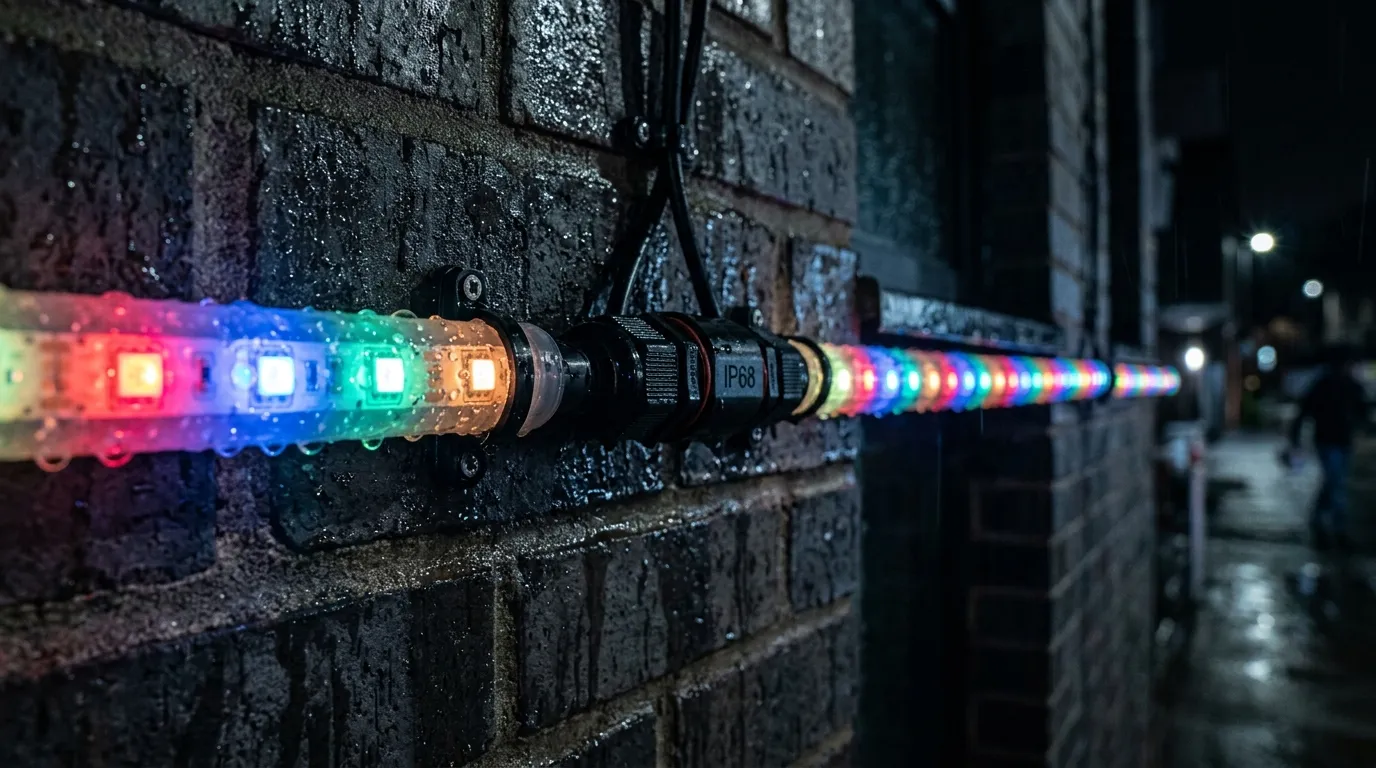
Sealed connectors and encapsulated PCB are what make an IP68 pixel strip usable on an exposed facade — the joints, not the strip body, decide the real rating.
Two mistakes show up constantly on real projects. First, an indoor IP20 strip mounted on an exterior facade — it can survive a season of dry weather and die in the first rain. Second, assuming IP68 means the strip can sit in standing water indefinitely; IP68 means protected against continuous immersion under specified conditions, and the manufacturer's conditions (depth, duration, temperature) still apply. For a detailed walkthrough of the whole IP20–IP68 range and what each grade does and does not cover, see our IP ratings for LED strip guide, including the IP65 vs IP67 comparison for the two most over-used outdoor grades.
A practical example: an IP68 addressable RGBW strip — a 60 LED/m RGBW strip with fully potted PCB and waterproof connectors, available from IP20 to IP68 in the same family — can cover sheltered and exposed zones with one controller setup. Whatever you source, ask the factory for the IP test report, not just the marketing grade.
Pixel pitch: pick resolution from viewing distance
Pixel pitch is the center-to-center distance between adjacent pixels, in millimeters — the same concept used in LED video walls, and pixel pitch is what determines whether a facade image looks like a picture or a grid of dots.
The governing rule of thumb: minimum viewing distance in meters ≈ pixel pitch in millimeters × 1000. At 20 mm pitch, pixels visually merge at roughly 20 m; at 10 mm, at roughly 10 m. Closer than that, you see individual dots; much farther, you are paying for resolution no eye can use.
Rule of thumb: minimum viewing distance (m) ≈ pixel pitch (mm) × 1000.
Viewing distance | Pixel pitch (video-grade content) |
|---|---|
Under 10 m | 8–10 mm |
10–30 m | 10–20 mm |
30–60 m | 20–33 mm |
Over 60 m | 33–100 mm |
For a media facade playing video and graphics, treat the table as a starting point and bias toward the finer end — on-camera appearances are merciless, and broadcast footage is usually shot closer than the sidewalk. For decorative animation — color sweeps, chasing effects, architectural accents — you can relax the pitch substantially, because the content is abstract and the eye is not trying to resolve detail.
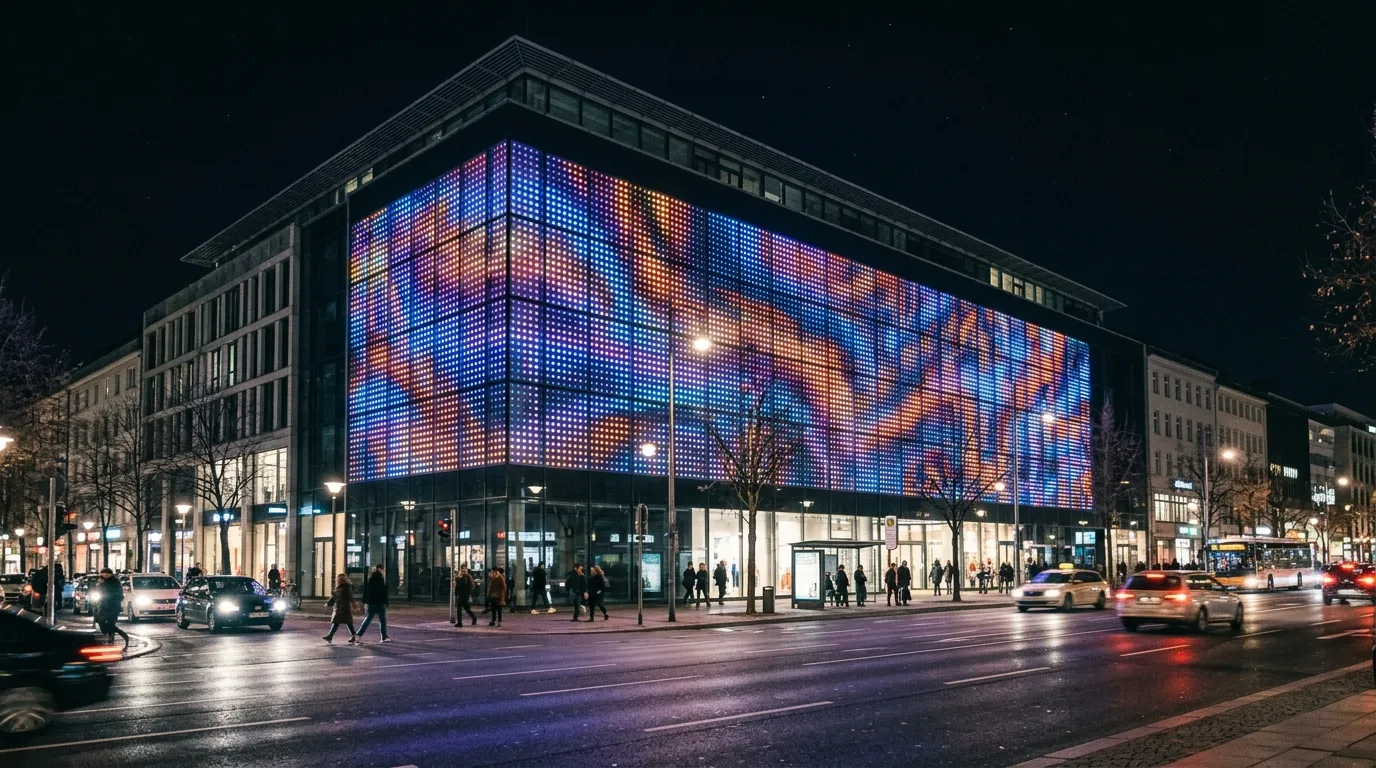
A dense pixel grid reads as a picture at its design viewing distance; the same pitch looks like a wall of dots up close.
Tighter pitch costs you twice: more pixels per meter means more LED drivers, more power per meter, and more data channels. A 10 mm facade matrix draws roughly four times the power per square meter of a 20 mm matrix at the same brightness. That is where the resolution decision meets the power decision: a dense facade is a serious electrical load, and the voltage strategy has to be settled together with the pitch. One way to keep dense runs manageable is to use a higher-voltage product line such as a DC48V pixel system, which carries more power per run before injection becomes necessary — we will get to that in the next section.
If the facade is a sparse architectural dot grid rather than a video surface, you are not choosing pixel pitch at all — you are choosing point-light spacing, which is a design decision (50–500 mm grids are common). Do not spec a video-grade pitch for a decorative grid, and do not spec a decorative grid where the client expects video.
Voltage drop and power injection for long facade runs
Voltage drop is the quiet killer of LED facade lighting. Every meter of strip draws current, and the copper traces of the strip and the feeder cables have resistance. Voltage falls along the run — V = I × R — and when it drops below the operating range of the driver ICs, the far end dims, colors shift, and pixels start resetting or flickering.
The arithmetic is unforgiving at low voltages. A 12 V strip has only about 1.2 V of headroom before it leaves spec (a 10% drop). Typical 12 V addressable strip at 14.4 W/m draws around 1.2 A per meter — over a 20 m run, that is a lot of current pushing through thin copper. Practical guidance for continuous runs without injection points:
System voltage | Typical safe run (no injection) |
|---|---|
DC5V | 2–5 m |
DC12V | 5–10 m |
DC24V | 10–20 m |
DC48V | 20–50 m |
These are engineering thumb rules, not product guarantees — actual limits depend on strip density, wire gauge, and ambient conditions — but the shape of the table is the point: doubling the voltage halves the current for the same power, and current is what causes the drop. That is why long facade runs increasingly spec 24 V or 48 V systems instead of 12 V.
A worked example: a 100 m facade run of dense strip. At 48 V with a 90 LED/m strip drawing 21.6 W/m (a DC48V long-run pixel strip built for exactly this case), the total load is 2,160 W — about 45 A at 48 V. No single feeder should carry that, and no single controller port should either. The power plan splits the facade into zones of 15–25 m, each fed by its own injection point with appropriately sized cable, so no segment sees a drop worth worrying about.
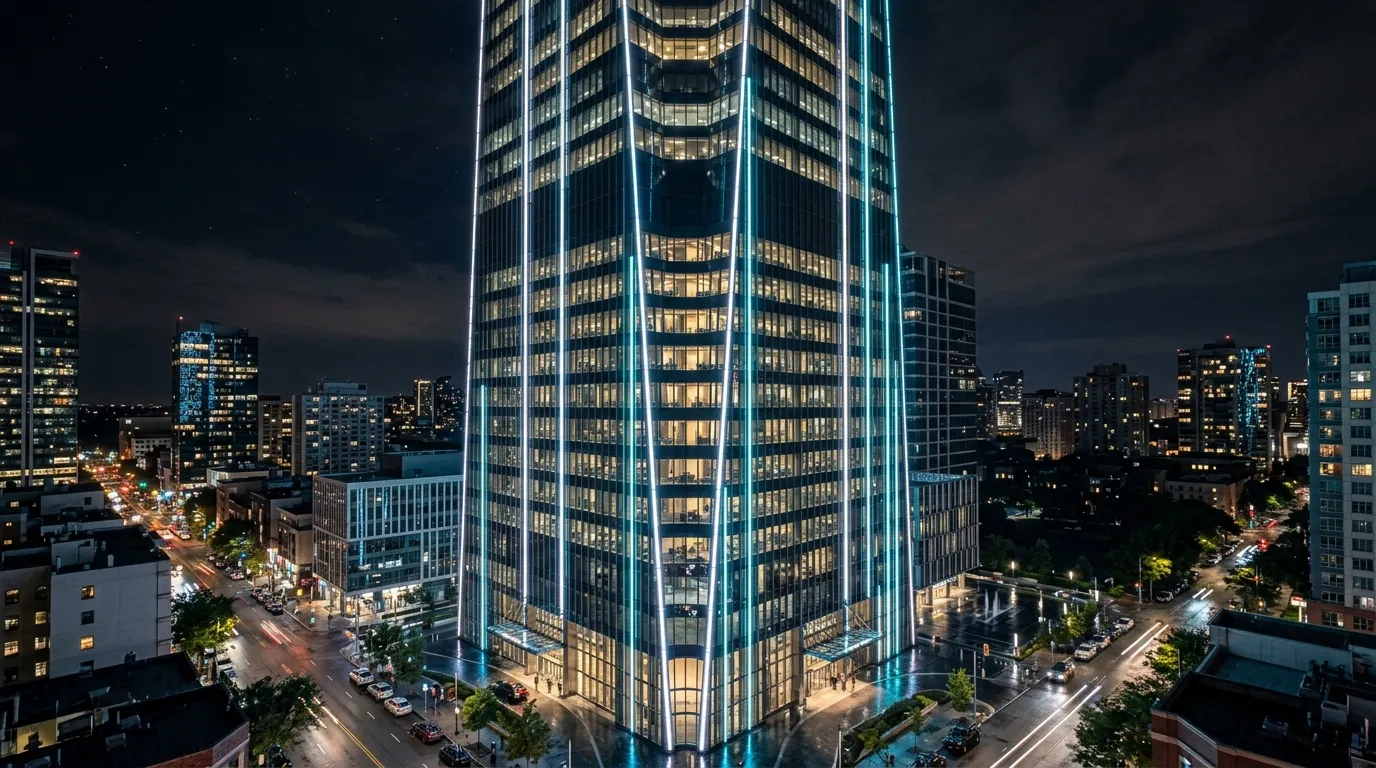
Long facade runs are fed in zones: each injection point keeps voltage within spec over the full height of the building.
Plan power injection as a deliberate layout step, not a repair after commissioning:
- Inject at both ends of any run approaching the safe distance for your voltage — double-ended feed roughly halves the worst-case voltage drop.
- Add injection points every 15–25 m on long facades, sized to the zone's current draw.
- Run a power trunk in proper gauge — the feeder cable's resistance counts as much as the strip's; undersized wire is a hidden voltage drop.
- Stay inside controller port limits — match each injection zone to the controller's per-port current rating; a port rated for 10 A cannot feed a 45 A zone.
- Keep data separate from power — parallel data and power runs are fine, but power injection must not feed back into data lines; use opto-isolated or differential data distribution for long outdoor runs.
For the components side of the power plan — power supplies, injection cables, connectors — our pixel strip power supplies and connectors guide covers the accessory chain. On the supply side, Mean Well publishes application guidance for LED power supplies and is a useful reference when sizing PSUs with the 20% headroom a facade should carry.
Control: DMX, Art-Net, and the pixel bus
The control architecture is the fourth decision, and it follows from pixel count. Three protocol tiers cover almost every facade:
- SPI — the simplest bus for short decorative runs (hundreds to low thousands of pixels) driven directly from a controller output.
- DMX512 — the industry standard for DMX-native pixel fixtures. One universe carries 512 channels, which is 170 RGB pixels. See DMX512 for the protocol details.
- Art-Net — DMX data carried over Ethernet, which is what large media facades use. A 10,000-pixel facade needs roughly 59 universes; that is not a job for one SPI output, it is a job for Art-Net nodes distributed around the building.
The spec consequence: decide the pixel count first, then the protocol, then the controller placement. Distributed controllers near the injection zones keep data runs short, and each controller port feeds one pixel zone — which is exactly how the power zones and the data zones stay aligned. For the controller hardware side, the Art-Net and DMX controllers range covers SPI, DMX512, and Art-Net node options for facade-scale pixel counts.
A facade lighting specification checklist
When the design is approved, hand the integrator a checklist, not a mood board. Every row below is a line item that belongs in the final spec document for an architectural facade lighting package:
Spec item | Decision to make | Typical value |
|---|---|---|
Environment & IP | Exposure zone per facade area | Sheltered IP65 / exposed IP66–IP67 / ground IP68 |
Pixel pitch | Minimum viewing distance | Pitch ≈ distance ÷ 1000 (video) |
Voltage & run plan | System voltage + injection spacing | DC24–48V, inject every 15–25 m |
Power budget | W/m × total length × 1.2 headroom | e.g. 21.6 W/m × 100 m × 1.2 |
Control protocol | SPI / DMX512 / Art-Net + universe count | Art-Net for >5,000 pixels |
Connectors & cable | Waterproof joins, feeder gauge | Sealed connectors, 14–16 AWG trunks |
Certifications | CE, RoHS, EMC, IP test report | Certificate numbers in the datasheet |
QC & testing | Factory aging + IP test evidence | 6-step QC incl. waterproof test |
Every row should have an answer a supplier can quote against. If the answer is "we will figure it out on site," the project is carrying un-budgeted risk. Facade proof matters too: ask for delivered projects at similar scale — comparable deliveries include an 800 m pixel tube facade in China, a 1,200 m DMX wall washer run in Germany, and a 760 m pixel bar club facade in the US.
When the checklist is complete, send it to a manufacturer who will answer every row. Send the checklist to the Pileds team with your facade dimensions and viewing distances — we will spec the pixel product, the DC48V power plan, and the controller layout against your numbers, and you will know exactly what you are ordering before you order it.
Specifying pixel LED for a real project?
Send the spec — pitch, IC, IP class, run length, voltage — and you get an engineer's answer, not a catalogue. Samples and OEM/ODM quotes from the Shenzhen factory floor.