
LED Wash Bar vs Pixel Bar: Which Fits a Stage?
Wash bar vs pixel bar comes down to optics and control, not build quality. Compare channel budgets, white light, camera behavior and which bar wins on a stage.
Wash bar vs pixel bar: the decision is optics, not quality
A wash bar is a linear stage fixture built to put an even field of light on a surface: one beam, a few control zones, as much output per zone as the housing can dissipate. A pixel bar is a linear fixture built to be looked at: dozens of individually addressable emitters that a media server or console can drive as a low-resolution canvas. Wash bar vs pixel bar is therefore not a question of which one is better built. It is a question of whether the bar is a light source or an image, and that answer changes your channel count, your console, your programming hours and what the fixture looks like on camera.
One thing worth stating up front, because it shapes the rest of this article: PILEDS builds pixel bars, not wash bars. Where a project genuinely needs a wash bar, the honest answer is to buy one from a stage-lighting brand that specializes in that fixture — this page will tell you when that is.
A wash bar is a light source with a job: cover a surface evenly. A pixel bar is a surface with a job: show something on itself.
The label on the box will not help you. Vendors ship "pixel wash bars," "wash bars" with twelve-pixel control, and "pixel bars" whose pixels are three LEDs wide. In this trade wash describes the job and pixel describes the control. The same housing can do either — sometimes both — so the specification sheet, not the product name, has to settle it.
Same housing, two optical strategies
The cleanest way to see the trade-off is two fixtures from one manufacturer's range that share a housing format and a footprint, and differ almost entirely in how they spend their power. Chauvet's COLORband Pix ILS and COLORband H9 ILS are that pair.
COLORband Pix ILS (pixel) | COLORband H9 ILS (wash) | |
|---|---|---|
Emitters | 12 × 3 W tri-color RGB | 9 × 10 W RGBAW+UV |
Rated output | 1,402 lm | 2,977 lm |
Beam / field angle | 14° / 27° | 23° / 41° |
Illuminance at 2 m | 4,142 lux | 3,529 lux |
Control points | 12 pixels | 3 zones |
DMX channels | 3 to 41 | 6 to 23 |
Fixture draw | 49 W | 80 W |
Weight | 3.2 kg | 3.3 kg |
Two bars, the same length within 15 mm and the same weight within 100 g. The wash fixture produces 2.1× the lumens, spreads them over a 23° beam and draws 1.6× the power. The pixel fixture runs 36 W of RGB through a 14° optic and puts 4,142 lux on a point at 2 m — more than the wash bar, in a narrower cone.
That last number is the one that catches people, and it is worth being precise about: illuminance figures only compare at equal beam angle. A 14° fixture concentrating 1,400 lm will beat a 23° fixture spreading 3,000 lm on a lux meter at 2 m, while the wider fixture covers roughly twice the wall. The pixel bar is not the dimmer fixture; it is the one that spends its light in a tighter cone because the emitters are being kept small and separate.
So the trade-off is not brightness against resolution. It is coverage and field width against control granularity, from very similar hardware: 2,977 lm spread over 41° of field, or 12 individually controlled points at 1,402 lm. Every design decision that follows — zones, channels, white, camera, programming — comes from which of those two you actually need.
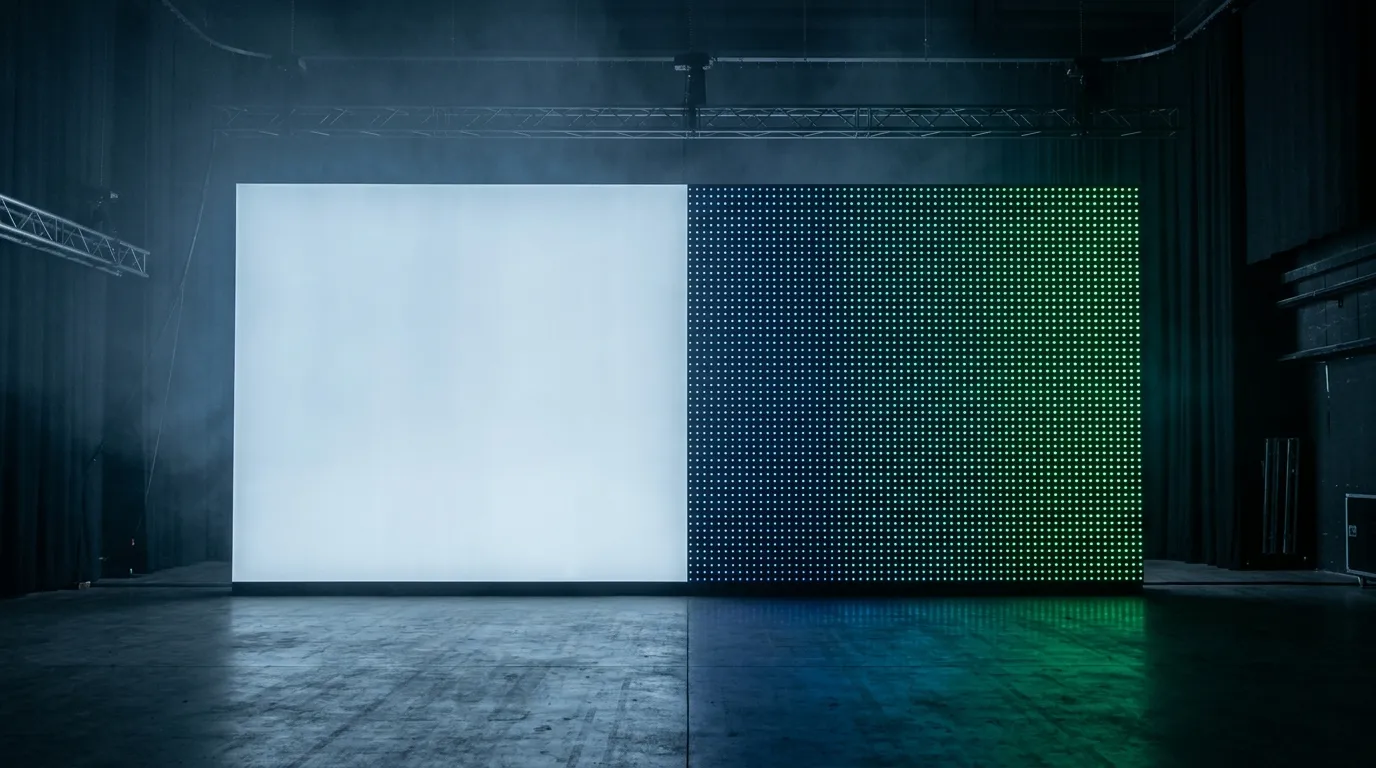
The same wall, two optical strategies: continuous coverage on the left, individually addressable points on the right.
Control budget: pixels eat channels
This is where projects get into trouble, and it is arithmetic you can do before you order anything.
Take a pixel bar running 12 addressable pixels in RGB. Each pixel needs three channels, so the bar consumes 36 DMX channels at full resolution. A dozen of those bars is 432 channels — one 512-channel universe gone on twelve fixtures, before you have added a single moving light. Move up to a 1 m bar at 60 pixels per meter and each bar is 180 channels; a dozen is 2,160 channels, or about 4.2 universes. The 3-zone wash bar in the table above, at 18 channels per bar, uses 216 channels for the same dozen fixtures.
Two consequences follow, and both cost money:
- Ports and nodes. Dense pixel runs are normally fed as SPI from a node rather than as DMX straight to the fixture. Each SPI output carries a finite number of pixels, so high-density bars multiply ports: a 4-port box runs out on a stage-width run.
- Programming time. Twelve pixels per bar means twelve things to map and animate. Three zones means three. On a festival turnaround that is hours of console time, not fixture cost.
There is a second, less obvious budget: the published DMX512 standards define 512 slots per universe over a 250 kbit/s line, which puts a full universe at roughly 44 refreshes per second. That is comfortable for dimming and color, and tight for anything that behaves like video. SPI pixel data runs faster per pixel but is serial: the WS2811 protocol clocks at 800 kbit/s and needs 24 bits per pixel, so every pixel on a line costs about 30 µs. Five hundred pixels on one output refresh at roughly 65 Hz; seven hundred and twenty refresh at about 46 Hz. Split long runs across ports and the number comes back up — which is why pixel-heavy rigs are designed around port counts and not just around total pixels.
None of this applies to a wash bar. Six channels for a single zone, eighteen for all three, and the programming is a color and an intensity. On a show where the crew changes weekly, that simplicity is a feature you can budget for.
White light, skin tones and camera
Ask a lighting designer why wash bars still hang on every touring rig and the answer is rarely about effects. It is about white.
An RGB pixel bar makes white by mixing three saturated emitters at full. The result reads slightly blue or magenta, renders skin poorly, and shifts as the emitters age at different rates — the same binning problem covered in LED color consistency binning. A wash fixture with a dedicated white — or, as in the H9, a five-color-plus-UV mix — produces a white that can be tuned toward tungsten or daylight. For key light, fill, and anything a camera holds on a face, that difference is visible immediately.
Pixel bars are not disqualified. RGBW pixel bars add a white emitter to each addressable point and close most of the gap for stage washes and low-resolution content. What RGBW does not fix is structural: a pixel bar's job is to be seen as a surface, and a surface that doubles as a light source is being asked to do two things at once.
Refresh behavior matters here too. Bars built for broadcast publish high-frequency dimming so they do not beat against a camera shutter. A pixel bar's refresh depends on how many pixels share its data line, as the arithmetic above shows, so the camera-safe configuration of a pixel rig is partly a wiring decision. Test on camera before the show.
Where a pixel bar earns its cost on stage
A pixel bar is worth its channel budget when the audience is meant to see the fixture doing something: a low-resolution backdrop behind a band, vertical accents either side of a screen, a runway or set edge changing color in sequence, a wall of bars behaving like a coarse video surface.
Four conditions decide whether that works:
- Viewing distance against pixel pitch. Start from the farthest audience position that has to read the content, then work back to the smallest detail that must be legible — a logo stroke, a letter, a moving edge — and only then pick a density. Our bars run 16 to 60 pixels per meter; 16 px/m gives you blocks and chases, 60 px/m gives you gradients and simple video. Treat any rule of thumb about pixels per meter per meter of viewing distance as a starting point to test with a mock-up, not a standard.
- What the fixture looks like when it is off. A pixel bar is hardware on stage in daylight and between scenes. If the design cannot tolerate visible fixtures, solve that on the rig first.
- Weight, mounting and cable. Confirm weight per meter, clamp rating and connector type against the truss plot, and that the IP rating covers the assembled fixture — end caps and connectors included, not just the LED board. Our pixel bars run from IP20 for indoor stages to IP65/IP67 outdoors.
- Spares and mapping. Every pixel is a potential dead point that shows as a dark dot in a gradient. Version the show file, keep a spare bar per run, and prefer driver ICs with breakpoint resume so one failed pixel does not take the rest of the run down.
A delivered example: a 600 m pixel-bar canopy for a launch stage in India, driven from a single control system and mapped as one surface rather than as individual fixtures.
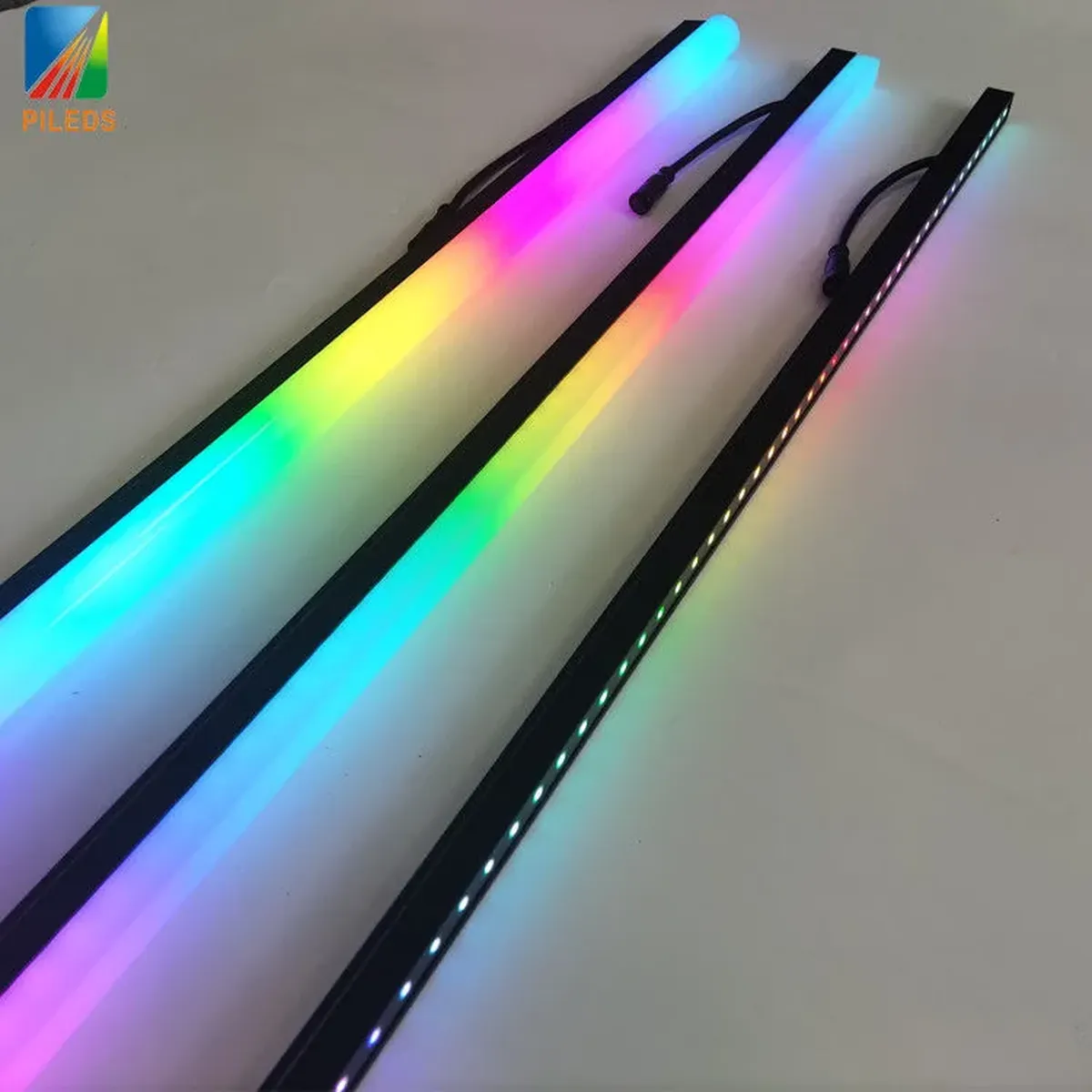
Three bars from the same range: the gradient moves along each one because the emitters are addressed separately, not driven as a single color.
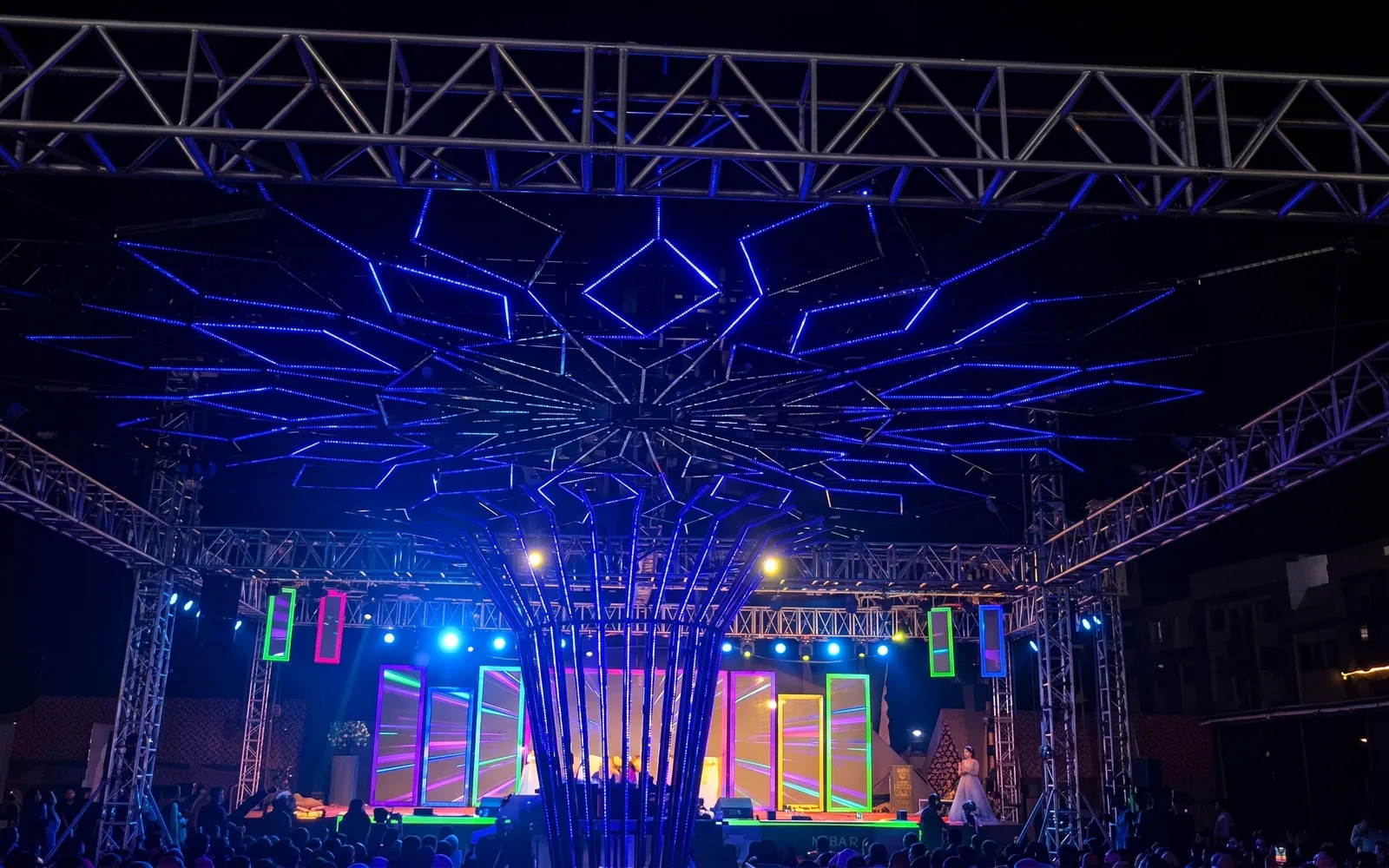
A 600 m pixel-bar canopy delivered for a launch stage, mapped as a single surface rather than as individual fixtures.
The "pixel wash bar" trap
The market has spent years merging the two categories, and the naming has not kept up. Fixtures now ship with twelve pixel-controlled emitters in a wash-style housing, or with beam, wash and pixel modes in one unit. Some are useful: a pixel-controlled wash bar gives zoned coverage across a cyc with more resolution than three zones, at a fraction of the channel cost of a full pixel bar.
The trap is buying one on the strength of the word "pixel" and finding on site that the pixels are grouped, or that wash mode overrides the mapping, or that the resolution is coarser than the content you built. Read three numbers before you commit:
- How many independently controllable points, against how many physical emitters? A bar with 48 LEDs and 16 pixels is a 16-pixel fixture. That ratio sets how coarse the gradients will be.
- Which DMX personalities exist, and what does each give up? Fixtures offering 6, 18 and 41-channel modes are trading resolution, zoning or features against each other. The personality you can actually run is the one that matters.
- What is the white? A dedicated white or amber channel is a different fixture from an RGB bar with a white preset.
If a hybrid covers your job, it can be the cheaper answer. If it half-covers your job, you will buy the specialist fixture anyway — plus the hybrid.
When a wash bar is the better buy
There are stage projects where a pixel bar is the wrong purchase, and it is worth being blunt about it.
Buy a wash bar instead when:
- The design intent is coverage — cyc wash, stage wash, audience light, floor color — and no part of the surface needs a different color from another part at the same moment.
- White quality and skin tone are the deliverable, particularly for broadcast, corporate, theatre and any show with a camera feed.
- The crew is small or rotates and programming hours are the scarce resource. Six channels and a color palette beat a mapped surface nobody has time to animate.
- The rig changes daily and you want the simplest data path: one universe, standard 5-pin, no mapping software in the chain.
- The budget is per lumen, not per pixel. The wash bar above returns 2.1× the lumens for 1.6× the power — and puts them where a face is, not into a mapping.
The optics problem is the same one architectural wall washing solves with setback and spacing instead of pixel count; wall wash distance from wall is the fuller treatment of that side of it.
A useful sanity check before the RFQ goes out: if you cannot say what the pixels would show, you do not need pixels. "It gives us options" is how rigs end up with four universes of unused resolution and a crew that defaults to solid colors.
A decision path for the next show
Work down this list before the RFQ goes out; the first three answers usually settle it.
Question | If yes | If no |
|---|---|---|
Does any part of the surface need to differ from another part at the same instant? | Pixel bar, or zoned hybrid | Wash bar |
Will the audience see the fixture itself as part of the image? | Pixel bar | Wash bar, concealed or not |
Does a camera hold on faces or white surfaces? | Wash bar for key/fill; pixel bar only as accent | Either |
Is there console time and a mapping operator for the run? | Pixel bar is practical | Wash bar |
Is the run longer than one universe of pixels? | Plan ports, injection and refresh before quantity | Single universe is fine |
Two patterns recur on real shows. Specialization: wash bars cover the stage, pixel bars make the picture, each doing what it is cheap at. Layering: a wash layer for coverage and a pixel layer for content, mapped from one control system so they stay in sync — more fixtures, more channels, no compromise. Cost structure splits the same way: a pixel bar scales with pixel count and control ports, a wash bar with emitter power and optics, so neither is cheaper in the abstract.
Specs to confirm before the RFQ
Whichever way the decision goes, these are the items that cause re-orders when left vague.
For a pixel bar: pixels per meter and LEDs per meter as separate numbers; driver IC and breakpoint resume; input protocol and what sits between Art-Net and the bar; voltage and injection plan for the run length; IP rating for the assembled fixture; cut intervals and mounting profile; weight per meter.
For a wash bar: beam angle and the setback it implies; zones and channel modes; white engine and CRI if published; output at a stated distance; dimming frequency for camera; IP rating and connector type.
If you are specifying the pixel side, our pixel bar range covers 16–60 px/m in RGB and RGBW, DC12V and DC24V, SPI or DMX512, IP20 to IP67, cut every three LEDs, and the stage and touring pixel LED guide goes deeper on the driver, voltage and control specs. To test a density against your content before committing, send viewing distance, content resolution and run length — we will quote a sample, or tell you your project is a wash job and you should talk to someone else.
For the form-factor question underneath this one — bar or tube at all — see pixel bars vs pixel tubes. Once the density is fixed, zoning power for pixel control systems covers how the run gets powered and divided.
Specifying pixel LED for a real project?
Send the spec — pitch, IC, IP class, run length, voltage — and you get an engineer's answer, not a catalogue. Samples and OEM/ODM quotes from the Shenzhen factory floor.