
Pixel Bars vs Pixel Tubes: Which to Choose
Pixel bars and pixel tubes serve different stage jobs. Compare light spread, pixel density, touring durability, and DMX control before you spec your rig.
Pixel bars and pixel tubes both pack individually controllable LEDs into a straight line, and neither is "better" — they are different tools for different stage surfaces. If you are lighting a backdrop, wall, or video surface that the audience sees mostly from one side, pixel bars give you more pixels per meter and a flatter, more even wash. If the fixture itself needs to read from every angle — a free-standing light column, a glowing border around a stage, a 3D sculpture — a 360° pixel tube does the job a bar cannot. This guide comes from PILEDS, a manufacturer that builds both fixture families plus the controllers that drive them, so we have no reason to steer you to one: here is where each genuinely wins, where each loses, and the four specs that decide the argument on a real show.
One warning before the details: industry naming will not save you. Vendors sell "pixel bars," "pixel tubes," and, without irony, "pixel bar tubes" — the label on the box often describes the marketing department more than the optics. Judge a fixture by its housing cross-section, its light spread, and how you intend to mount it, not by the word "bar" or "tube" in the product name. For the specs that matter across the whole fixture category — driver ICs, protocols, power, and how they behave on camera — our stage and touring pixel LED guide is the fuller reference; this article stays on the form-factor decision.
Pixel bars vs pixel tubes: what is actually different?
Strip the marketing away and three measurable differences separate the two families:
- Housing cross-section. A pixel bar is a low-profile fixture — flat, half-round, or square in section — usually built into an aluminum profile or a rigid PC casing. A pixel tube is a round-section cylinder (20–40 mm is the common range) that reads as a light rod rather than a light panel.
- Light spread. Bars are directional: 120° to 270° of output depending on the diffuser, aimed at the audience or the surface you are lighting. Tubes come in 270° "milky" versions for wall mounting and full 360° versions whose light leaves the tube in every direction.
- Typical orientation. Bars are designed to run horizontally — in rows on truss, along stage edges, stacked into walls. Tubes are at home vertical: free-standing columns, skylines behind a DJ booth, or 3D structures where a straight glowing line has to work from every seat in the room.
Dimension | Pixel bar | Pixel tube |
|---|---|---|
Typical cross-section | Flat / half-round / square profile | Round cylinder, 20–40 mm |
Light spread | 120°–270° (directional) | 270° (wall) to 360° (free-standing) |
Typical mounting | Horizontal rows, truss, wall, floor | Vertical arrays, columns, 3D structures |
Pixel density range | ~16–60 px/m in most catalogs | ~28 px/m typical at 360°; up to 60 px/m on 270° models |
Housing | Aluminum or rigid PC profile | Milky PC tube with end caps |
Typical use | Wash, video walls, stage edge, foot/side light | Skyline backdrops, columns, borders, geometric structures |
These three axes — section, spread, orientation — are the entire comparison. Everything else (pixel count, driver IC, protocol, IP rating) is a spec you choose within the form factor, and the sections below walk through them in the order that matters for a stage fixture.
Light spread: directional bars vs 360° tubes
The first question is not "how many pixels" but "where does the light go." A pixel bar is an optical instrument with a front: its diffuser spreads the output across a defined angle so the light lands where you point it. A flat, milky-covered bar produces a smooth 120–140° front wash; half-round and U-clip designs open that to 180–270° for closer work like stage edges and footlight rows. Because the optics are directional, more of the LED output reaches the target — which is why a bar can look visibly brighter from the front than a tube of the same LED load.
A 360° pixel tube deliberately does the opposite: it throws light in every direction so the fixture itself becomes the visual object. Stand a row of them vertically behind a DJ booth and every audience member — front, sides, and balconies — sees a glowing rod, not just a thin line when viewed edge-on. That is the property no bar can fake, and it is why tubes dominate light-column, border, and sculptural uses.
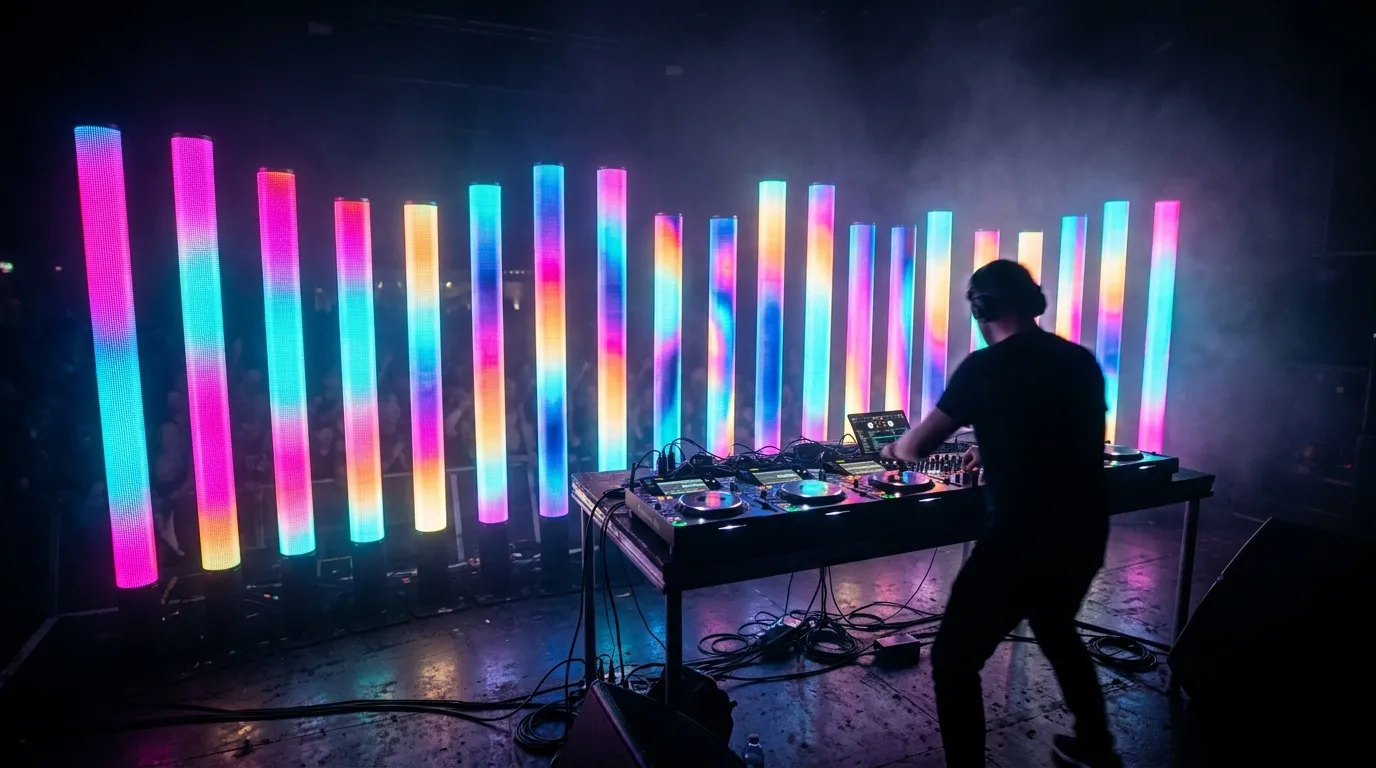
A 360° tube is a light object, not a light source — it has to read from every angle in the room.
The color system interacts with this decision: if your rig needs clean white light for camera work or white-content looks, an RGBW fixture (a dedicated white LED alongside RGB) mixes white far better than RGB alone. Most high-density pixel bars are available in RGBW; 360° tubes lean RGB because saturated color effects, not white, are their home turf. Our RGB vs RGBW vs RGBIC comparison covers when the fourth color earns its keep.
Pixel density: what your content actually needs
"Pixel" and "LED" are not the same thing, and this is the specification buyers most often get wrong. A fixture with 168 LEDs per meter may only give you 28 independently controllable pixels per meter, because six LEDs share one driver and fire together to light the tube's full circumference. What matters is the pixel pitch — the physical distance between controllable points — because that sets the finest detail your content can show.
Pixel bars span roughly 16 px/m (one control point every 62.5 mm — decorative chases and color blocks) to 60 px/m (one every 16.7 mm — smooth gradients and low-resolution video). At 60 px/m, a 3-meter run of bar is ~180 pixels wide, which is enough for legible text, logos, and simple video content at typical stage distances. 360° tubes sit at the coarse end by necessity: at 28 px/m with 168 LEDs arranged around the circumference, each pixel is ~36 mm long. That is ideal for waves, chases, and graphic bands, and visibly blocky for anything resembling video. If your show file contains content meant for a video surface, match it to a high-density pixel bar, not a tube.
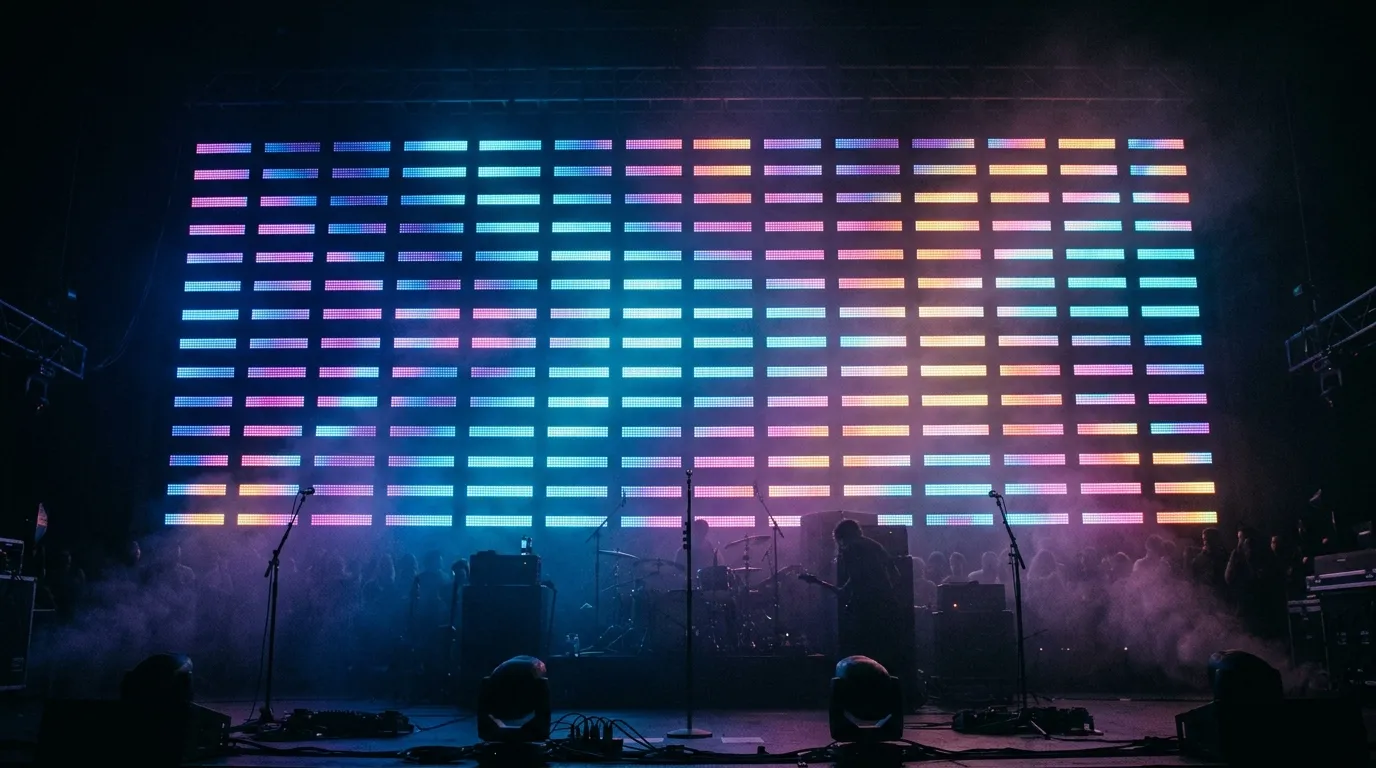
A dense row of pixel bars behaves like a low-resolution video surface; a 28 px/m tube cannot.
The driver IC decides how much of that density survives a failure. ICs such as WS2811 drive three LEDs per output and run happily at 12 V over long distances; WS2815-class ICs add breakpoint resume, so one dead pixel or a cut in the data line stops the show at that point instead of killing every fixture downstream — a real advantage on touring rigs where cables take abuse. The trade-offs between common driver chips are detailed in our WS2811 vs WS2812B driver IC comparison; for bars and tubes the short version is: specify breakpoint-resume ICs if your rig travels or runs unattended.
Housing, mounting, and life on the road
Live-event buyers ask one question before any other: how does this survive a truck, a week of load-ins, and a rainy outdoor show? The answer differs by form factor.
Pixel bars travel well because they are structurally simple: a rigid profile (aluminum or PC), LEDs on a flat PCB inside, and connectors on the ends. Linkable bars daisy-chain mechanically and electrically, so a 6-meter edge of stage is four 1.5-meter bars, two cables, one power feed. On tour they rack flat, mount to truss with standard clamps or their own brackets, and a damaged unit is swapped in seconds without touching its neighbors.
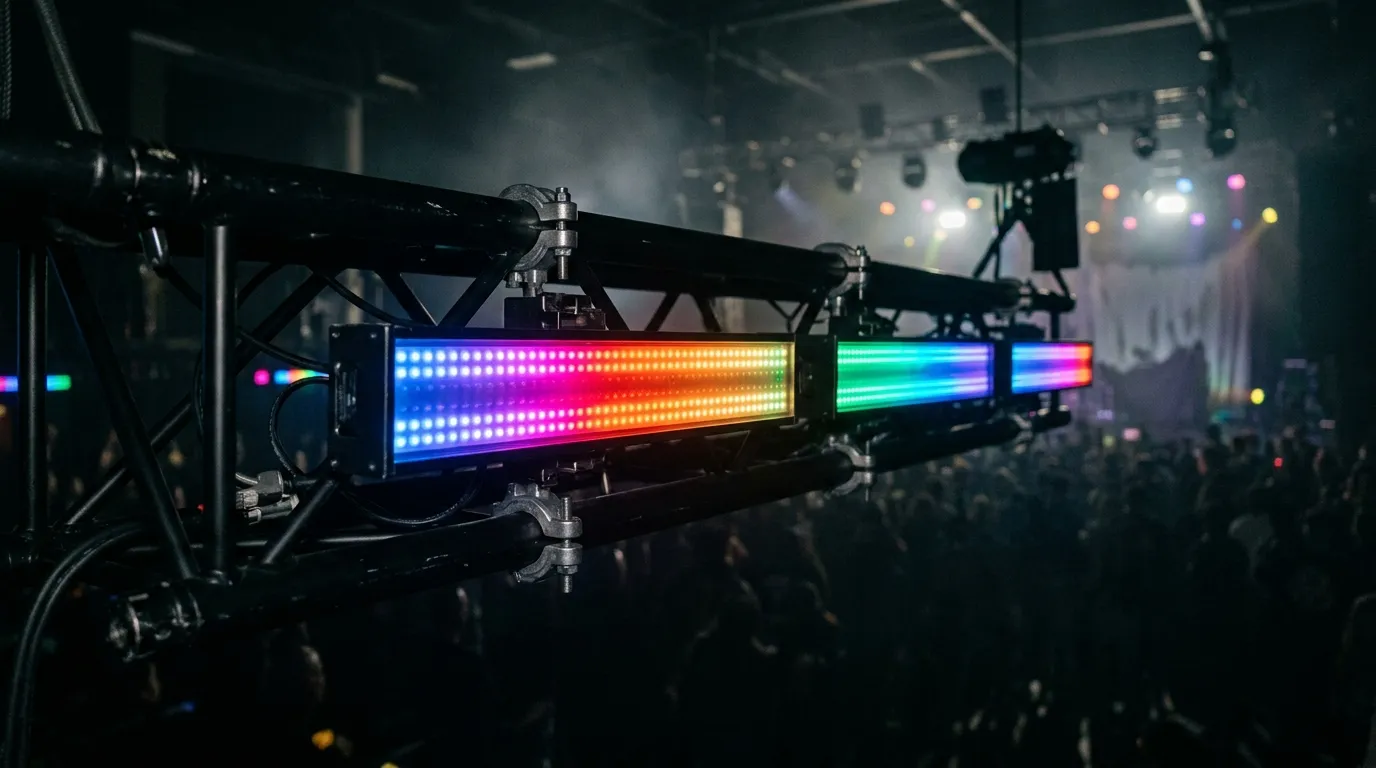
A bar's flat profile and end-to-end linkability make truss rows and quick swaps straightforward on tour.
Pixel tubes are round-section and get their strength from tube diameter and wall thickness — a 40 mm tube with aluminum end caps is genuinely roadworthy, while slim 20–30 mm "meteor" tubes are effect fixtures that need gentler handling. Vertical arrays need a mounting base or header plate per tube plus cable management, because a free-standing column of tubes is only as stable as its base plate and connector. Industry press has been road-testing cylindrical pixel tubes as touring fixtures since the mid-2010s — PLSN's 2016 road test of the Astera Pixel Tubes is a fair sample of what reviewers check: build quality, transport damage, and whether the diffuser holds up — so the form factor is proven, but budget for the mounting system, not just the tubes.
For outdoor or damp venues, IP rating gates everything. IP20 covers indoor touring; IP65 keeps out dust and low-pressure water jets; IP67 adds immersion. Note that the fixture's rating is only as good as its weakest link — end caps and cable connectors on a "waterproof" bar or tube are where real-world failures start, so ask for the IP test report and check the whole assembly. Our IP65 vs IP67 explainer walks through what the IP code actually certifies.
Power, data, and control budgets
Every pixel is a DMX channel or three. On DMX512, one universe carries 512 channels, so an RGB pixel consumes 3 channels and an RGBW pixel consumes 4. Run the math on a 1-meter fixture and the form-factor difference becomes concrete:
Fixture | Pixels per meter | Channels per meter (RGB) | Meters per universe |
|---|---|---|---|
16 px/m pixel bar | 16 | 48 | ~10.7 m |
60 px/m pixel bar | 60 | 180 | ~2.8 m |
28 px/m 360° tube | 28 | 84 | ~6.1 m |
60 px/m 270° tube | 60 | 180 | ~2.8 m |
A 6-meter video-style bar wall at 60 px/m therefore needs three universes of address space (6 m × 180 RGB channels/m ≈ 1,080 channels — 512 per universe — before you add a single other fixture), which is why pixel rigs graduate from direct DMX to Art-Net: one network cable carries hundreds of universes, and Art-Net controllers with 8, 12, or 16 outputs (our Art-Net and DMX controller range, or any equivalent) hand each run of fixtures its own port. Before the console sees anything, each fixture's pixels are mapped onto those universes in the controller or its mapping software (MADRIX-class mappers are the usual choice), so the whole rig behaves as one addressable canvas. The 512-channel structure of DMX512 is defined by the DMX512 standard — useful to know when a console operator tells you your pixel wall "doesn't fit in one universe."
Power follows the same shape. High-density 60 px/m RGBW bars draw on the order of 14–18 W/m depending on voltage and driver; a high-density 360° tube with 168 LEDs/m can exceed 40 W/m because six LEDs per pixel are lit to cover the full circle. Two consequences: run pixel bars and tubes at 24 V where possible to halve current and cable losses over long runs (the 12 V vs 24 V vs 48 V trade-off is a topic of its own), and do the power-supply budget for the whole rig before ordering, not after — tube-heavy arrays especially punish undersized PSUs.
One branch worth naming before you spec: wired vs battery. Installation and touring rigs in this class are wired — DMX/Art-Net for data and a 24 V PSU feed for power — because a 40 W/m tube wall cannot run long on batteries and every wireless hop is another thing to fail in a show file. Battery-powered pixel fixtures do exist, but they are mostly rental and retail products built around low-density, low-wattage pixels and wireless control, where the trade-off (battery life and recharging logistics versus cable-free placement) is worth making. If a buyer asks for battery operation on a dense bar or tube wall, treat it as a signal to check the actual power budget first.
Where each wins: pixel bar vs pixel tube by application
Put the sections together and the decision falls out by application. The rule of thumb: choose the form factor by the surface you are lighting — and by how many sides of the fixture the audience can see.
Application | Reach for | Why |
|---|---|---|
Low-res video wall / backdrop content | High-density pixel bar (60 px/m) | Fine pitch needed for legible content |
Stage edge, footlight, side light wash | Pixel bar (wide-angle diffuser) | Directional output and low profile fit tight spots |
Vertical skyline behind DJ booth / band | 360° pixel tube | Glowing rod reads from every seat |
Light columns, pillars, room borders | 360° pixel tube | The fixture is the visual object |
3D stage structures, cubes, geometric frames | Pixel tube (or mixed) | Round-section joins at angles cleanly |
Outdoor architectural outline | Either, rated IP65+ | Form follows the mounting surface |
Camera-facing content surfaces | Pixel bar + RGBW + verified flicker-free dimming | White quality and density matter on camera |
Two honest caveats that most one-sided guides skip. First, if your show is mostly a video-style pixel wall, tubes are the wrong tool and no amount of 360° glow compensates — match content resolution to fixture pitch. Second, if your statement piece is a ring of glowing tubes around the stage, a bar will never deliver that look, because from most seats you would see it edge-on as a thin sliver of light. Where shows get interesting is the mix: a 60 px/m bar wall as the animated backdrop with 360° tubes as freestanding columns in front of it is a standard, high-impact touring look, and both form factors address through the same controller.
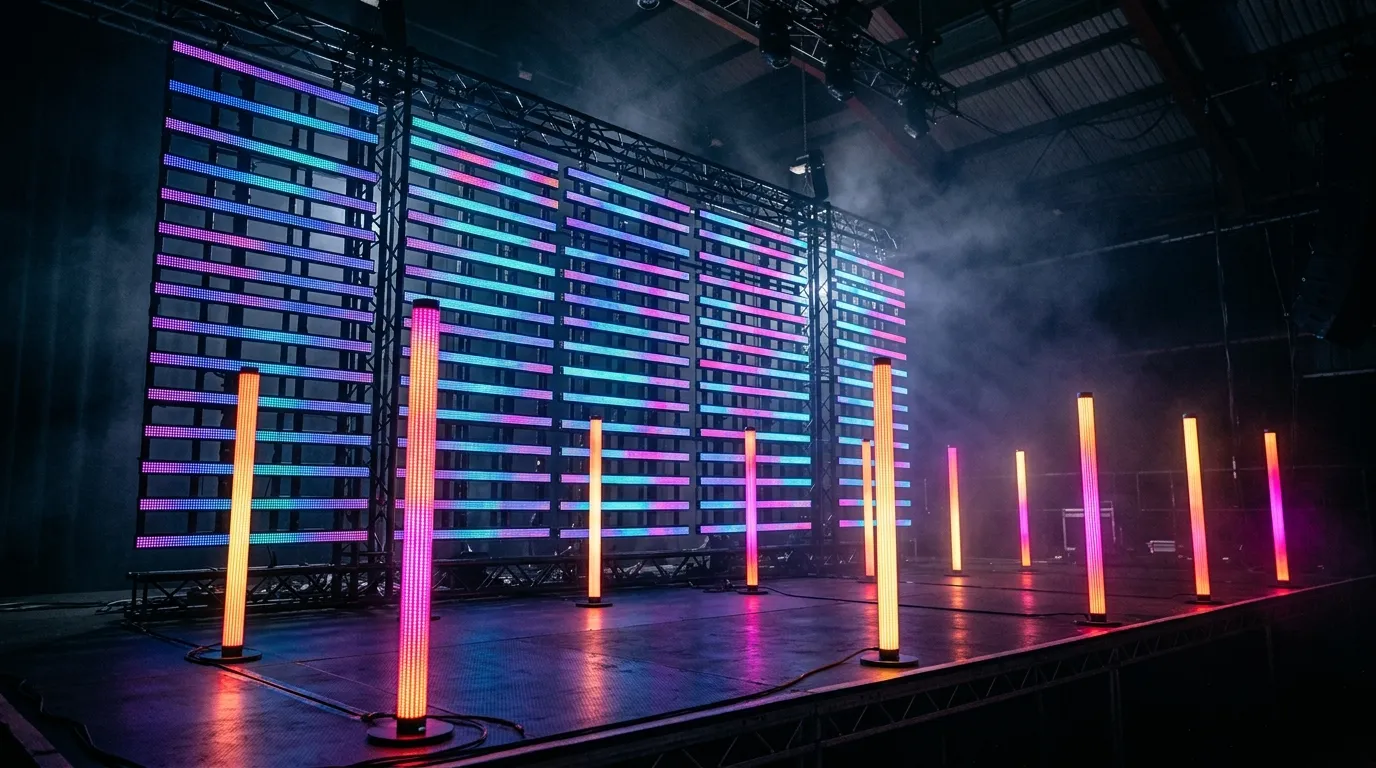
Mixed rigs — bar wall behind, tube columns in front — are where the two form factors stop competing and start cooperating.
How to spec pixel bars or tubes for a stage project
When you sit down with a supplier — any manufacturer — an eight-line spec kills most of the ambiguity. Write down, in order:
- Light spread: the angle and direction the fixture must cover (front wash vs 360° object).
- Pixel density: pixels per meter, and the coarsest content you must show legibly.
- Driver IC: breakpoint-resume (WS2815-class) for touring/unattended rigs.
- Color: RGB for saturated effects, RGBW if white content or camera work appears.
- Voltage and power: 24 V preferred for long runs; total watts per meter × total meters for the PSU.
- IP rating: IP20 indoor, IP65/IP67 outdoor, with the test report.
- Protocol and channel plan: DMX512 direct, or Art-Net via controller — and the universe count the rig needs.
- Mounting: truss clamps, base plates, linkable bars, road cases, and spare connectors.
Two factory-floor notes worth knowing before you buy overseas. Batch consistency is what makes or breaks a pixel wall: LEDs are binned, and a supplier that tests every batch on an integrating sphere (as part of QC) will ship fixtures that match each other; ask how color consistency is controlled across production batches rather than assuming it. And because both bars and tubes share the same driver ICs, PCB assembly, and control ecosystem, a manufacturer that builds both — as PILEDS does, with configurable IC, voltage, IP rating, color, length, and connectors per order — can supply a mixed rig from one production run instead of two vendors with two color standards.
Browsing the current pixel bar lineup and pixel tube lineup side by side is a fast way to see how the two families spec out before you write your list.
If your project is at the spec stage, sending your spec to our team is the fastest way to get a fixture list, samples for camera testing, and a quote — there is no obligation, and samples are free for qualified projects.
Pixel bars vs pixel tubes: FAQ
Can pixel bars show video? At 60 px/m with a wide diffuser, yes — a bank of them forms a low-resolution video wall readable for text, logos, and simple content at stage distances. Match the fixture pitch to the content: if your content needs more resolution than 60 px/m, that is a job for LED video panels, not pixel fixtures.
Are pixel tubes better than pixel bars? Only for the jobs tubes are built for: 360° visibility, vertical columns, and 3D structures. For directional washes and video-style surfaces, bars win on pixel density and brightness delivery. "Better" is a question of which surface you are lighting.
Can I mix pixel bars and tubes in one rig? Yes, and touring shows do it routinely — a bar video wall with tube columns in front. Both speak the same protocols (DMX512/SPI, Art-Net at system level), so one controller and one show file drive both, provided you have the universe budget (see the table above).
Do pixel bars and tubes need special controllers? Small rigs run direct from a DMX console or a DMX-to-SPI decoder. Anything beyond a couple of universes moves to an Art-Net controller with multiple outputs, one per run of fixtures — the same controller family drives bars and tubes alike.
Specifying pixel LED for a real project?
Send the spec — pitch, IC, IP class, run length, voltage — and you get an engineer's answer, not a catalogue. Samples and OEM/ODM quotes from the Shenzhen factory floor.